Why Is Everyone Suddenly Talking About iOS 27 Shortcuts for Screen Time?
iOS 27 launched with a quiet but significant upgrade to the native Shortcuts app: the ability to write automation commands in plain, natural language rather than navigating a maze of logic blocks. For most people, that feature flew under the radar. But CNET host Bridget Carey found a genuinely practical use for it — and the resulting video is resonating with anyone who has ever opened TikTok for "just a second" and resurfaced 45 minutes later.
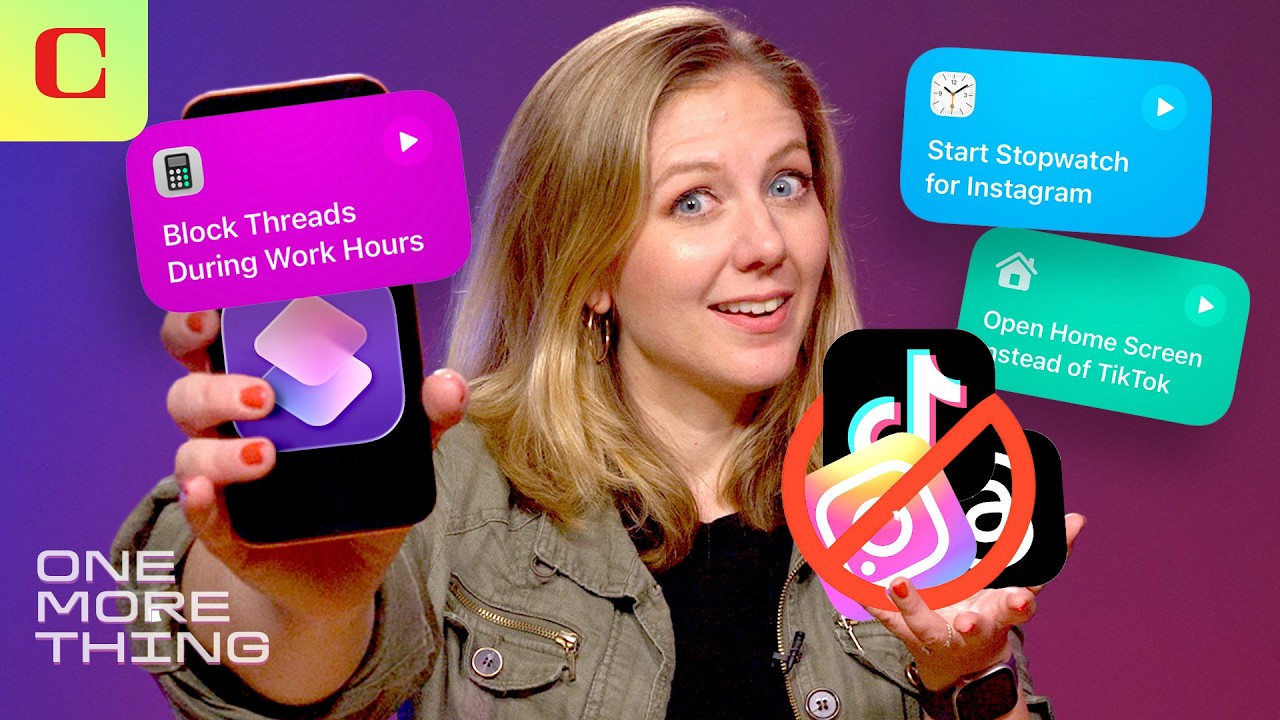
The core idea is simple but surprisingly effective. Instead of relying on paid apps or sheer willpower, Carey built a chain of iOS 27 Shortcuts that intercept the moment you try to open a social media app, introduce friction, and track exactly how long you spend scrolling. No subscriptions. No hardware. Just your existing iPhone doing the heavy lifting.
What Exactly Does the iOS 27 Shortcuts Doomscrolling Hack Do?
The method Carey outlines works in a few layered stages:
- App-launch redirect: When you tap a social media icon, a Shortcut triggers first, pulling up a custom message or prompt — breaking the automatic, mindless tap-and-scroll reflex before it starts.
- Session timer: A second automation starts a visible countdown the moment you do choose to open the app, keeping you aware of elapsed time rather than losing track of it entirely.
- Friction logging: The system can log each attempt to open a blocked app, giving you a clear picture of how often the urge actually hits throughout the day.
Carey also compared this approach to the physical Brick device — a product that literally locks your phone using NFC tags — and made the case that for most users, the Shortcuts method achieves a similar psychological effect for free. Commenter @JohnPereira-b1d echoed this, pointing out that a cheap pack of NFC tags paired with Shortcuts can replicate Brick's functionality at a fraction of the cost.
What Are People in the Comments Actually Saying?
The comment section tells a story that's as much about the limits of the hack as it is about enthusiasm for it. The top reaction, earning 32 likes, came from @MaxyinTree:
"Can I block YouTube Shorts without blocking YouTube long? 😂"
It's a legitimate technical question, and currently the answer is no — iOS 27 Shortcuts operate at the app level, not the feature level within an app. Blocking YouTube blocks everything, which is a real limitation Apple has yet to address.
Others offered their own battle-tested alternatives:
"The real way to get setting screen time limits is to get a friend/significant other involved by having them set up a pin they only know when adjusting screen time settings. That way, when you hit your limit on an app, you can't bypass it." — @dickeyadam
"Just delete all Social Media apps from your phone — if you need to occasionally use them do so from your laptop. I do not have any social media apps on my iPhone — ZERO — problem solved." — @hdtravel1
The accountability-partner PIN approach is widely considered the most airtight method, since it closes the most obvious loophole: that you can simply override your own Screen Time restrictions the moment cravings kick in. The Shortcuts method, by contrast, works best on the honor system — which is both its charm and its weakness.
@Ghost818-x8c put it plainly:
"These are actually very creative, I might try this out."
That measured optimism reflects the general mood: impressed by the ingenuity, but clear-eyed about the commitment required to make it stick.
Is the iOS 27 Shortcuts Method Actually Worth Using Over Paid Apps?
The case for it is strong. Apps like Brick charge a premium for what is essentially a layer of friction on top of your phone's own hardware. iOS 27's natural-language Shortcuts editor has dramatically lowered the barrier to building that same friction yourself — Carey's tutorial demonstrates that you don't need any coding background to pull this off.
The real catch is the bypass problem. Apple's Screen Time PIN can be reset by the account owner, which means a determined, tired, or bored version of yourself can undo everything in about 30 seconds. Without a trusted person holding that PIN, the system relies entirely on your own resolve in the moments when resolve is hardest to find.
For users who want a zero-cost starting point before committing to a paid solution, this is a genuinely smart first step. For anyone who has already tried willpower and found it wanting, pairing the Shortcuts method with an accountability partner — or investing in a physical friction device — is probably the more honest play.
As iOS 27 continues rolling out to the broader public and Apple expands the natural-language Shortcuts engine, expect the community to build increasingly sophisticated anti-doomscrolling flows — potentially ones that can target specific app features rather than entire apps. The question of blocking YouTube Shorts without touching long-form video is exactly the kind of granular control users are demanding, and it's a reasonable bet that third-party Shortcuts developers will attempt to crack it before Apple does it natively.